

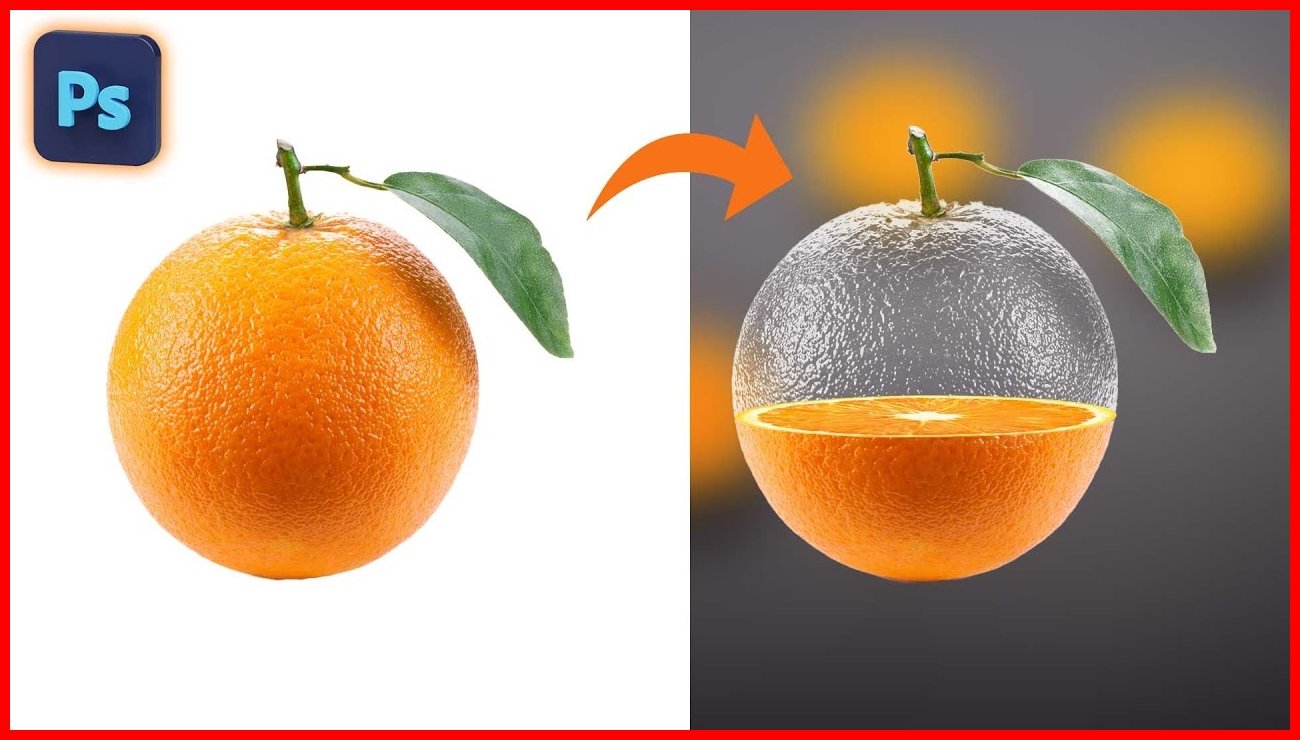

Photo editing usually means improving or changing photographs. Image editing is a broader term that can cover photographs, illustrations, screenshots, diagrams, icons, and other digital images.
Understanding the difference can help you choose the right tools and techniques for your project, whether you’re improving a photograph, designing a banner, or preparing images for your website.
What Is Photo Editing?
Photo editing means changing a photograph to improve its appearance, correct problems, or give it a particular style.
Photographers, bloggers, content creators, and online businesses use photo editing tools for many purposes. Common tasks include:
- Adjusting exposure and brightness.
- Correcting colors and white balance.
- Improving contrast and sharpness.
- Cropping and straightening photographs.
- Removing small distractions.
- Applying creative filters and effects.
- Retouching portraits when appropriate.
For example, a photographer might adjust the lighting, contrast, and color in a landscape photograph before publishing it on a website.
The main goal is usually to improve the photograph while preserving the desired appearance or creating a specific visual style.
What Is Image Editing?
Image editing covers a wider range of changes made to digital images. It includes editing photographs as well as creating and modifying graphics, illustrations, and other visual content.
Depending on the project, image editing can involve graphic design, compositing, text placement, resizing, file conversion, and transparency adjustments.
Common image editing tasks include:
- Creating banners and thumbnails.
- Combining multiple images.
- Adding text, shapes, and graphic elements.
- Removing or replacing backgrounds.
- Editing logos and illustrations.
- Resizing graphics for different platforms.
- Converting images between file formats.
- Preparing images for web publishing.
For example, a blogger might combine a photograph with a title, shapes, and decorative elements to create a featured image for an article.
Unlike photo editing, which focuses mainly on photographs, general image editing can involve creating an entirely new visual composition from multiple elements.
Photo Editing vs. Image Editing: Key Differences
The following table highlights the main differences between photo editing and general image editing.
| Feature | Photo Editing | Image Editing |
|---|---|---|
| Main focus | Photographs | Many types of digital images |
| Common tasks | Color correction, retouching, and exposure adjustments | Cropping, compositing, graphic design, and resizing |
| Typical inputs | Camera photos and digital photographs | Photos, illustrations, logos, and screenshots |
| Common users | Photographers and photo enthusiasts | Designers, bloggers, marketers, and photographers |
| Main goal | Improve or transform a photograph | Modify or create visual content |
These categories can overlap. For example, you might edit the colors of a photograph and then combine it with text and illustrations to create a promotional banner.
Popular Tools for Photo Editing
Photopea
Photopea is a browser-based image editor with tools for layers, selections, masks, and image adjustments. It can be a good choice if you want more detailed control over photographs without installing traditional desktop software.
Website: https://www.photopea.com/
Pixlr
Pixlr offers online photo editing tools for adjusting images, applying effects, and creating visual content. It is worth exploring if you want to make quick edits directly in your browser.
Website: https://pixlr.com/
Adobe Lightroom
Adobe Lightroom is designed primarily for photographic workflows. It provides tools for organizing photographs and adjusting exposure, color, contrast, and other image properties.
Lightroom can be especially useful for photographers who want to manage and edit large collections of photos. Availability and pricing depend on the plan you choose.
Website: https://www.adobe.com/products/photoshop-lightroom.html
Popular Tools for General Image Editing
Canva
Canva makes it easy to combine photographs, text, shapes, and design elements to create banners, social media graphics, thumbnails, and other visual content.
Its templates and beginner-friendly interface make it a useful option for bloggers, students, content creators, and small businesses.
Website: https://www.canva.com/
Adobe Photoshop
Adobe Photoshop provides extensive tools for image manipulation, compositing, retouching, and graphic design. It supports professional workflows that require detailed control over individual image elements.
Photoshop can be useful for complex projects, although its subscription-based pricing may not suit everyone.
Website: https://www.adobe.com/products/photoshop.html
GIMP
GIMP is a free, open-source image editor for photo editing, retouching, and many graphic manipulation tasks.
Unlike browser-based editors, GIMP is desktop software that you install on your computer. It is worth considering if you want a powerful editing tool without paying for a commercial software license.
Website: https://www.gimp.org/
Which Type of Editing Do You Need?
The right approach depends on the kind of visual content you are working with and the result you want to achieve.
Choose Photo Editing If You Want to:
- Improve the lighting in a photograph.
- Correct color problems.
- Retouch a portrait.
- Enhance a landscape image.
- Apply a consistent style to a collection of photographs.
Choose General Image Editing If You Want to:
- Create a blog thumbnail.
- Add text to an image.
- Design a promotional banner.
- Combine several visual elements.
- Resize or convert graphics.
- Prepare images for different platforms.
Some projects require both approaches. You might improve a photograph first and then use the edited image in a banner, advertisement, or social media design.
How Image Optimization Fits Into the Process
Editing changes how an image looks or how its elements are arranged. Image optimization, on the other hand, prepares an image for efficient storage and delivery.
If you’re preparing images for a website, follow this practical workflow:
- Edit the original image to achieve the desired appearance.
- Crop and resize it to suitable dimensions.
- Export it in an appropriate file format, such as WebP, JPEG, or PNG.
- Compress the image if necessary to reduce its file size.
- Check the final image quality and file size.
- Add descriptive alternative text when publishing informative images on your website.
This process helps preserve visual quality while avoiding unnecessarily large image files.
For additional guidance, visit CompressImageFree.store for resources on image compression, file formats, and website image optimization.
Common Image Editing Mistakes to Avoid
Regardless of the editing tool you choose, avoiding a few common mistakes can improve your results.
- Applying too many filters: Excessive effects or sharpening can make an image look unnatural.
- Using low-resolution images: Small images may look blurry when enlarged for large graphics.
- Stretching images: Changing proportions without maintaining the aspect ratio can distort the subject.
- Using the same format for every image: Different images may benefit from different file formats.
- Ignoring file size: Large exported images can slow down website pages.
- Overlooking readability: Text added to photographs should have enough contrast to remain easy to read.
A good editing workflow balances appearance, usability, accessibility, and performance.
Conclusion
Photo editing and image editing share many techniques, but they have slightly different aims. Photo editing focuses mainly on photographs, while image editing covers a wider range of visual content, including illustrations, logos, screenshots, and designed graphics.
The right tool depends on whether you want to improve an existing photograph, create a new graphic, or prepare an image for the web. Understanding these differences makes it easier to choose an appropriate tool and workflow.
At CompressImageFree.store, you can find more helpful resources on image editing, compression, file formats, and image optimization.



Leave a Comment